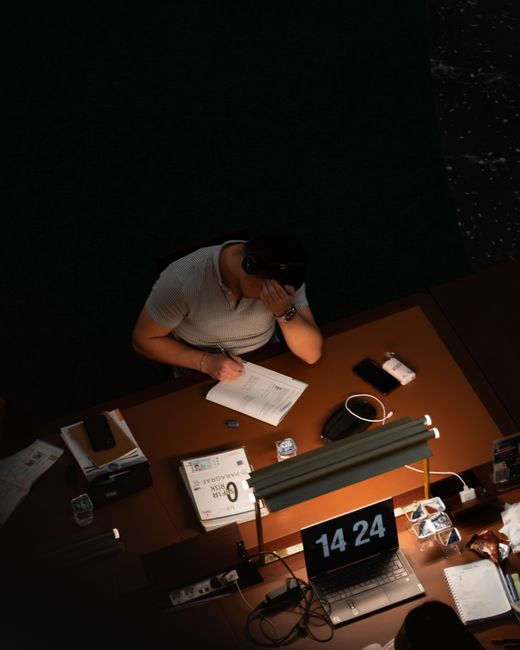

Quick answer: This student’s guide to managing screen time focuses on smart habits: taking structured breaks, setting up your digital space just right, and really thinking about how you use tech. Do that, and you’ll cut down on screen fatigue and brain drain, helping you stay focused, feel better, and do well in your studies.
Key Takeaways
- Screen fatigue and cognitive exhaustion are real challenges for students in 2026.
- Symptoms include eye strain, headaches, reduced focus, and increased irritability.
- Effective screen time management directly improves academic performance and mental health.
- Strategies range from structured breaks and ergonomic setups to blue light filtering and digital detox.
- Mindfulness and self-awareness are crucial for identifying and addressing screen-related issues.
- Proactive management of digital habits fosters better sleep, higher productivity, and overall well-being.
It’s 2026, and digital screens are just part of student life, right? Online lectures, research, group projects, even social catch-ups – screens grab our attention all day. But all that screen time comes with a big downside: screen fatigue and a totally fried brain.
So, this student’s guide to managing screen time is here to give you some real, practical ways to deal with it. And it’s not just about feeling comfier. Getting a handle on these issues is seriously important for your grades, your mental health, and just feeling good overall.
What Exactly Are Screen Fatigue and Cognitive Exhaustion?
Screen fatigue? We often call it digital eye strain. It’s a bunch of eye and vision problems you get from staring at computers, tablets, e-readers, and phones for too long. Basically, it’s that physical discomfort you feel after way too much screen time.
Cognitive exhaustion, though, is different. That’s when your brain just runs out of juice. You’re constantly processing info, juggling a bunch of digital platforms, and your screens are always demanding your attention. So, your brain gets overwhelmed. And that leads to less focus, bad decisions, and you just feeling cranky.
With screen fatigue, you’ll probably have dry eyes, blurry vision, headaches, or even a stiff neck and shoulders. Cognitive exhaustion might show up as trouble concentrating, making more mistakes, feeling totally swamped, or just a general mental “burnout.” See? They’re connected, and both can really mess with your ability to learn and do well.
Why Is a Student’s Guide to Managing Screen Time Crucial for Academic Success?
Look, managing screen time isn’t just some nice-to-have suggestion. It’s totally essential for doing well in your studies and feeling good about yourself, especially for students here in 2026. Without smart strategies, all that screen time can totally wreck even your hardest study efforts.
For one, constant screen fatigue means you just won’t get things or remember them as well. When your eyes are tired and your head pounds, complex info just doesn’t stick. And that means worse grades and a less effective learning experience. Period.
Plus, cognitive exhaustion absolutely crushes your focus and productivity. You might find yourself reading the same paragraph over and over, still not getting it, or just losing your train of thought completely. That’s wasted study time, and it just ramps up your stress.
And finally, bad screen habits mess with your sleep. Staring at screens, especially late at night, pumps out blue light. That light stops your body from making melatonin, which makes it super hard to fall asleep and get that deep, restorative rest you need. When you don’t sleep well, it makes fatigue even worse and dulls your brainpower. So, you get stuck in this terrible cycle that hurts your grades and your overall health.
But here’s the thing: using this student’s guide to managing screen time to put your digital well-being first? That’s how you build a path to consistent academic success and a much healthier life.

Practical Strategies: A Student’s Guide to Managing Screen Time Effectively
So, how do you actually make things better? Putting these practical strategies into practice is huge for cutting down the negative effects of digital screens. Here, we’ll walk through concrete steps you can take to manage your screen time and just feel better overall.
How Can You Structure Your Study Sessions and Breaks?
Here’s one of the best strategies: deliberately build regular breaks into your study sessions. The Pomodoro Technique, for instance, is brilliant. It suggests 25 minutes of super-focused work, then a quick 5-minute break. After you’ve done four of those “Pomodoros,” take a longer break, maybe 15 to 30 minutes.
And during those breaks? Get away from your screen completely! Stretch. Walk around. Look out a window. Do something that doesn’t involve a screen. This lets your eyes relax and your brain recharge, stopping that fatigue from building up. Set alarms or use focus apps if you need help sticking to these breaks.
What Ergonomic Adjustments Should You Make for Screen Use?
Tweak your physical setup. It can seriously cut down on strain. Your monitor? Put it about an arm’s length away, with the top of the screen right at or just below your eye level. Make sure your chair actually supports your lower back. And adjust its height so your feet are flat on the floor, or on a footrest if you need one.
Keep your posture in check too: sit up straight, shoulders relaxed, and wrists straight when you’re typing. Moving around and readjusting regularly will stop you from getting stiff and uncomfortable. Also, if you’re spending hours at your desk, an ergonomic keyboard and mouse can be a total game-changer.
How Can You Reduce Blue Light Exposure and Improve Sleep?
Blue light from screens can really mess with your natural sleep cycle. So, turn on night mode or blue light filters on all your gadgets, especially in the evenings. Most operating systems already have these built-in, like Night Shift on iOS/macOS or Night Light on Windows.
But here’s a big one: try to cut out screen time for at least an hour or two before bed. Seriously. Pick up a real book instead, listen to some music, or try out some relaxation exercises. That gives your brain a chance to wind down naturally, which means you’ll get deeper, more refreshing sleep.
What Are Effective Digital Detox Methods?
Regular digital detoxes can totally reset how you relate to technology. This doesn’t mean you have to go completely offline for days, though. It just means purposely unplugging from non-essential digital stuff for certain blocks of time. Maybe you make one evening a week totally screen-free. Or commit to a full digital break on weekends.
During those times, dive into hobbies. Get outside. Talk to friends and family face-to-face. Even short, consistent detoxes can seriously clear your head and make it much easier to focus when you get back to studying.
How Can Mindfulness and Self-Awareness Help?
Being mindful about your screen habits? It’s absolutely vital. Really pay attention to how different apps and online stuff make you feel. Are you actually learning, or are you just scrolling away without thinking? Do you feel energized after a session, or totally drained?
And check in with your body. Do your eyes feel dry? Is your neck tense? Spotting these signs early lets you take a break before you hit total exhaustion. Plus, use apps that track your screen time. They give you a clear picture of your habits and show you where you can do better.

Leveraging Technology for Better Screen Management
Here’s the funny part: technology itself can actually be a huge help when you’re trying to manage screen time. There are tons of tools out there that let you monitor, limit, and just generally improve how you interact with your devices.
What Apps and Features Can Help Monitor Screen Usage?
Most phones and operating systems—think Apple’s Screen Time, Google’s Digital Wellbeing, or Windows’ Focus Sessions—now have built-in features that track your screen usage. These tools give you detailed reports on exactly how much time you’re spending on different apps and sites. It’s super helpful for pinpointing those time-wasting black holes.
And then there are third-party apps, like Freedom or Cold Turkey. They can actually block distracting websites and apps when you’re supposed to be studying. They build this “focus zone” where you can really concentrate, free from constant notifications or the urge to scroll through social media. Use these smart tools, and you’ll see your productivity shoot way up.
How Can You Optimize Notification Settings?
Notifications are huge focus-killers and they just overwhelm your brain. So, take some time and customize the notification settings for every app on all your devices. Turn off all the non-essential stuff, especially for social media and entertainment apps, when you’re supposed to be studying.
Better yet, use “Do Not Disturb” modes or focus modes. These let only truly important calls or messages—say, from family or for emergencies—get through. It’s such a simple move, but it can dramatically cut down on interruptions and help you really stay in the zone.

Long-Term Benefits of Effective Screen Management
You know, actively managing your screen time goes way beyond just feeling less tired right now. The long-term perks? They really boost a student’s growth and pave the way for future success.
Students who get good at digital well-being often see lasting improvements in their grades. With better focus and less mental overload, you’ll learn things more deeply, turn in higher-quality work, and remember information better. And this hands-on approach builds strong self-control, a skill you’ll need everywhere in life.
But it’s not just about academics. Smart screen management also makes your mental and physical health better. Less eye strain and fewer headaches mean you’re simply more comfortable. Good sleep habits lead to more energy, a better mood, and you’ll bounce back faster from challenges. You learn to have a healthier relationship with technology—using it as a tool, not letting it consume you. That balance? It’s vital for handling college, and then diving into the professional world of 2026 and all the years after.
Frequently Asked Questions
How much screen time is considered healthy for students?
Honestly, there’s no magic number for “healthy” screen time. It really depends on what you need individually and what your studies demand. But many experts do suggest taking regular breaks and trying to keep non-academic screen use, especially for just chilling out, under two hours a day.
Can screen fatigue lead to permanent eye damage?
Nope, good news! While screen fatigue is definitely uncomfortable, it’s usually temporary and won’t cause permanent eye damage. The symptoms generally clear up with some rest and better screen habits. However, if you constantly strain your eyes, it can make existing issues, like dry eyes, worse.
What is the 20-20-20 rule for eye health?
The 20-20-20 rule is simple: every 20 minutes you spend looking at a screen, look at something 20 feet away for at least 20 seconds. This little trick helps your eye muscles relax and seriously cuts down your chances of digital eye strain.
Are blue light blocking glasses effective?
Some studies say blue light blocking glasses can help ease eye strain and even improve sleep, especially if you wear them in the evenings. Their effectiveness can vary from person to person, but a lot of people report feeling much more comfortable with them.
How can I avoid getting distracted by my phone during study sessions?
Alright, here’s how: Put your phone in another room entirely, or at least somewhere you can’t see it. Turn off all those non-essential notifications. Or, even better, use apps that specifically block distracting content for a set time. And tell your friends and family you’re busy during study hours so they know not to interrupt you.
Does physical activity help with screen fatigue?
Absolutely, yes! Regular exercise and stretching can seriously lighten the load of screen fatigue and that brain drain feeling. It gets your blood flowing, eases up muscle tension, and gives your mind a much-needed break from all that intense digital focus.